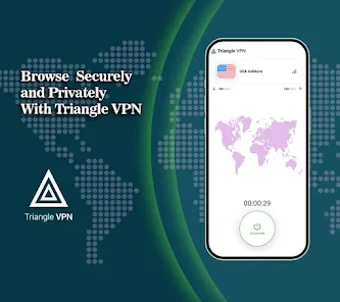
Triangle VPN for Android: quick privacy and regional access
Experience Triangle VPN from Bracket Studio to protect Android browsing and bypass regional blocks for private connections. The app masks IP addresses and encrypts traffic to prevent third-party interception, providing basic privacy and access functionality. Its minimalist interface and zero-configuration design allow immediate use without registration. Android users who rely on public Wi-Fi or need to reach region-locked content will find the app convenient and straightforward for everyday mobile privacy needs.
What does Triangle VPN do for Android connections?
The app routes mobile traffic through a global network of optimized servers, which masks the device IP and lets users access geographically restricted sites. It provides unlimited bandwidth for continuous browsing and streaming, and the developer states the network is optimized for low latency. These elements combine to offer IP obfuscation and content access from different regions while keeping session length unrestricted.
Does it slow down your device during use?
Resource use is designed to be light on mobile devices, since the app is optimized for low power consumption and minimal battery impact. In addition, the high-performance server focus on low latency supports use cases such as mobile gaming and streaming without prolonged battery drain. The app targets devices running Android 6.0 or higher, which defines the practical hardware envelope for performance expectations.
Is Triangle VPN safe to use on public Wi-Fi?
Security measures are explicit in the app's design; it implements bank-grade encryption to protect data on unsecured networks and states a strict no-logs policy to avoid storing browsing history. Those two facts address common threats on open Wi-Fi by encrypting traffic and minimizing retained session information. The absence of an account requirement also reduces per-user data collection by the service.
Do I need technical knowledge to operate Triangle VPN?
The app emphasizes immediate, zero-configuration use, with a minimalist interface that removes setup steps and a one-tap connection model. That approach suits non-technical users who want quick privacy without manual server selection. Widespread adoption, indicated by over 100,000 downloads and a positive store rating, supports that typical users find it accessible for routine mobile privacy tasks.
A practical Android choice for quick privacy, with a single clear trade-off
Triangle VPN is a pragmatic option for Android users who need fast IP masking and uncomplicated access to blocked content, offering strong encryption and a low-friction interface. The main caveat is its streamlined controls and absence of account-based features, which may disappoint advanced users who want manual server selection or synced preferences across devices.
Pros
One-tap, zero-configuration connection for immediate protection
Bank-grade encryption protects sessions on public Wi-Fi
Unlimited bandwidth supports long streaming and gaming sessions
Optimized for low battery impact and low-latency use cases
Cons
Minimal advanced controls for power users
Requires Android 6.0 or higher, older devices unsupported
No account or login means no synced settings across devices
Loading…
About permissions
Before downloading, you can take a quick look at the permissions this app may request on your device. App permissions allow certain features to work properly, such as accessing your camera to take photos, your location for maps, or your storage to save files.
In this section, you’ll find a clear and simple overview of the types of permissions the app uses, grouped by their level of sensitivity, along with a visual breakdown to help you understand them at a glance. This way, you can see how the app interacts with your device and decide to download with confidence.
Permissions types
Standard
58%
Non-standard
25%
Sensitive
17%
Permissions distribution
Privacy
50%
Data collected
25%
Data shared
25%
Data safety info
Privacy
6 permissions
Permissions that allow the app to access personal or sensitive information stored on your device, such as location, contacts, camera, or microphone.
android.permission.FOREGROUND_SERVICE
Standard
android.permission.RECEIVE_BOOT_COMPLETED
Standard
android.permission.WAKE_LOCK
Standard
android.permission.REQUEST_DELETE_PACKAGES
Non-standard
android.permission.VIBRATE
Standard
android.permission.FOREGROUND_SERVICE_SPECIAL_USE
Non-standard
Data collected
3 permissions
Information the app may gather from your device or usage activity to enable features, personalize content, and improve overall performance.
android.permission.ACCESS_NETWORK_STATE
Standard
android.permission.QUERY_ALL_PACKAGES
Non-standard
android.permission.READ_EXTERNAL_STORAGE
Sensitive
Data shared
3 permissions
Information that may be shared with trusted third parties to provide services, support app functionality, or deliver relevant content.
android.permission.POST_NOTIFICATIONS
Sensitive
android.permission.INTERNET
Standard
android.permission.CHANGE_NETWORK_STATE
Standard
This report summarises the permissions declared by the app at the time of scanning and groups them into Privacy, Data collected and Data shared. A declared permission shows what the app can access, it does not necessarily mean personal data is collected or transmitted. For full details check the app’s privacy policy and the developer’s clarifications shown below. Softonic generates this report automatically from the package metadata; it is informational and not a substitute for a full security or privacy audit.
Laws concerning the use of this software vary from country to country. We do not encourage or condone the use of this program if it is in violation of these laws. Softonic may receive a referral fee if you click or buy any of the products featured here.